Time Blocking for Professionals in Australia: How to Tame an Overloaded Calendar
It’s half past eight on a Monday morning. Priya, a manager at a Melbourne aged care provider, already has fourteen meetings booked before Thursday. Her inbox is sitting on well over two hundred unread messages. She has a report due by Friday. She hasn’t touched it. Every time she opens the document, another notification drags her straight back to her inbox. Sound familiar?
If you’re a manager or an employee, you’ll know this feeling. Calendars fill themselves with meetings nobody quite remembers agreeing to. And the “real work” gets pushed into evenings and weekends. We’ve run workshops on workplace productivity for almost three decades now, and we’ve sat across from hundreds of professionals just like Priya. Time and again, the single most effective fix we’ve seen is time blocking for professionals in Australia. It’s a deceptively simple system. And it hands you back control of your own diary.
In this blog post, we’ll walk you through what time blocking actually is. Why it matters more than ever. The mistakes that trip people up. And seven practical strategies you can start using this week.
Key Takeaways
Time-blocking means assigning specific chunks of your calendar to specific tasks, rather than working reactively from an ever-growing to-do list.
Interruptions are expensive. Refocusing after a distraction can take well over twenty minutes, so setting aside blocks of time helps protect your output.
The biggest barrier isn’t understanding time blocking. It’s defending the blocks once they’re booked in.
Small changes, like batching your emails or colour-coding your calendar, compound into hours of reclaimed focus each week.
Time-blocking works best as a flexible framework you adapt to your role, not a rigid timetable you force yourself into.
What Is Time Blocking?
Time-blocking is a scheduling method. You divide your working day into blocks of time, and assign each block to a single task, project, or type of activity. Instead of working from an open-ended list and reacting to whatever lands in your inbox next.
Instead of writing “finish quarterly report” on a to-do list and hoping a spare hour turns up, you book “9.00 to 10.30 am: Quarterly report, no interruptions” into your calendar. The same way you’d book a client meeting.
The idea isn’t new. Historical figures from Benjamin Franklin to Charles Darwin are said to have structured their days this way, long before calendar apps existed. But it’s arguably never been more relevant. Your calendar is the thing actually running your day. For most professionals, it is. Time-blocking ensures that your calendar reflects your real priorities, not everyone else’s.
Why Time Blocking for Professionals in Australia Matters More Than Ever
Australian workplaces have quietly become some of the most meeting-saturated in the world. And the cost isn’t just annoying. It’s measurable. Gloria Mark, a professor at the University of California, Irvine, has spent two decades studying attention in the workplace. Her research has found that it can take well over twenty minutes to fully refocus after a single interruption.Multiply that by the five or six “quick” interruptions most managers face before lunch, and you can lose the better part of a working morning without ever leaving your desk.
For employees, time blocking is the difference between reacting to the day and directing it. Deep, focused work, the kind that produces a well-argued proposal or a genuinely creative solution, simply doesn’t happen in the gaps between meetings.
For managers and team leaders, the benefits compound. A leader who protects blocks for coaching conversations, strategic thinking, and admin tends to run calmer, more predictable teams. Their people learn when they’re available and when they’re heads-down. That quietly reduces the “got a quick sec?” culture that erodes everyone’s focus.
For organisations, the flow-on effect shows up in retention and output. Gallup’s ongoing workplace research has consistently linked unmanaged busyness and constant interruption to burnout and disengagement, two of the costliest problems any business can face. When people feel in control of their time, they tend to stay longer. And do better work while they’re there.
Common Challenges People Face
Most professionals we train have already heard of time blocking before we ever meet. Almost none of them are doing it well, though. A few patterns show up again and again.
Overbooking the block. People give a two-hour report exactly two hours, with no room for a call that runs long. When the block overruns, the whole day tips like dominoes. And the system gets blamed instead of the plan.
Treating blocks as suggestions. A block only works if you defend it the way you’d defend a meeting with your boss. If a colleague can pull you out with a casual “have you got a sec?”, the block was never really blocked.
No buffer time. Calendars packed edge to edge look efficient on paper. In practice, there’s no room to breathe, or to walk to the next meeting. Everything runs late, and stress builds through the day.
Forgetting admin and thinking time. People block time for projects and meetings, then wonder why emails and genuine strategic thinking never get a look-in. If it isn’t on the calendar, it loses out to everything else.
Giving up after one bad week. A single disrupted week convinces people the system “doesn’t work for my job.” In reality, it just needs adjusting. Not abandoning.
Practical Strategies to Master Time Blocking
1. Start with a time audit.
Before you block anything, spend three to five working days simply recording what you actually do. In fifteen-minute increments, if you can manage it. Most people are genuinely startled by the result.
Example: When David, a project lead at a Brisbane engineering firm, ran his first audit, he discovered he was spending almost nine hours a week in status meetings where he wasn’t even required to speak. That single insight freed up more time than any calendar trick ever could.
2. Protect your peak energy hours for deep work.
Notice when you’re naturally sharpest. For many people, that’s the first two or three hours of the day. Guard that window for your most demanding work. Not your inbox.
Example: Priya now blocks 8.00 to 10.00 am daily as “no meetings, project work only.” Her team knows this. And her manager has agreed to route non-urgent requests to the afternoon.
3. Batch similar tasks together.
Constantly switching between email, calls, and deep work is one of the biggest hidden drains on a workday. Group similar tasks into a single block instead, rather than letting them interrupt everything else.
Example: A Perth-based customer service manager now checks and responds to email in two twenty-five-minute blocks, at 11.00 am and 3.30 pm, rather than continuously throughout the day. Response times barely changed. Her stress levels dropped noticeably.
4. Built-in buffer blocks.
Leave fifteen to thirty minutes between meetings and major tasks. This isn’t wasted time. It’s the time that stops one late meeting from derailing your entire afternoon.
Example: A Sydney law firm partner started adding a fifteen-minute buffer after every client call. Within a month, she’d stopped apologising for running late to the next one.
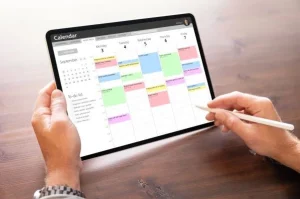
5. Colour-code your calendar by category.
Assign a colour to each type of work: deep work, meetings, admin, personal. One glance at your week then tells you instantly whether your time actually matches your priorities.
Example: One Adelaide marketing manager realised, once her calendar was colour-coded, that “strategic planning” existed only as a line item on her job description. Not anywhere in her actual diary.
6. Defend the block like a client meeting.
If someone tries to book during a protected block, treat it exactly as you would a genuine external commitment. Offer an alternative time, rather than automatically caving in.
Example: When a colleague asked to move a “quick catch-up” into David’s blocked project time, he replied, “I’ve got something locked in then. Could we do 2 pm instead?” Nobody questioned it.
If your calendar already feels unmanageable, you don’t have to redesign it alone.
A short, structured calendar audit with a trainer can often surface an extra five to eight hours a week, within a single session. Time that’s currently disappearing into meetings that don’t need you, or tasks that don’t need doing at all.
7. Theme your days where possible.
Where your role allows, group similar activities on specific days. A meeting-free Wednesday, say, or a Friday reserved for planning and admin.
Example: A logistics team in Sydney now holds all internal meetings on Tuesdays and Thursdays only. Staff report that Wednesdays feel “like a completely different job.”
8. Review and adjust weekly.
Spend fifteen minutes each Friday reviewing what worked, what got blown up, and why. Time blocking is a system you tune over weeks. Not a template you set once and forget.
Real-World Workplace Example
Consider Marcus, a sales team leader at a mid-sized Sydney logistics company. Before time blocking, his week was a patchwork of back-to-back client calls, ad hoc “got a minute?” conversations, and forecasting reports finished after 7 pm most nights.
We started small. Marcus blocked two ninety-minute windows each week, purely for forecasting and pipeline review, protected with a simple calendar note: “Client-facing only, please book elsewhere.” He batched his internal one-on-ones into a single Thursday afternoon block, instead of scattering them across the week. And he added fifteen-minute buffers after every client call.
Within six weeks, Marcus’s forecasting reports were finished by Wednesday, not Sunday night. His team noticed he was more present in their one-on-ones, because he wasn’t half-thinking about the next meeting. He didn’t immediately work fewer hours. But the hours he did work produced noticeably better results. Within a further two months, he’d reclaimed roughly four hours a week for genuine strategic thinking. That’s the real promise of time blocking. Not necessarily less time at your desk, but far more of that time actually working for you.
Common Myths About Time Blocking
Myth 1: Time blocking only works for people with predictable jobs. It’s true that a highly reactive role, such as frontline customer support, needs a different approach from a strategy role. But even reactive roles benefit from blocking recurring admin, planning, or team-support time. The block might be shorter, or more flexible, but the principle still holds.
Myth 2: It makes you rigid and robotic. Done well, time blocking is closer to a loose scaffold than a straitjacket. Most experienced practitioners build in unallocated space, precisely so the plan can flex when reality doesn’t cooperate.
Myth 3: You need special software to do it. A colour and a recurring entry in whatever calendar your organisation already uses are enough to start. Dedicated apps can help once you’re established. But they’re not a prerequisite.
Myth 4: Once you learn it, it always works. Time blocking isn’t a one-off fix. Roles change, priorities shift, and a system that worked in January can quietly stop fitting by June, unless you review it.
Quick Tips You Can Use Today
Block your highest-energy hours for your hardest task before your inbox gets a vote.
Add a fifteen-minute buffer after every meeting, without exception.
Colour-code just one week of your calendar and see what it reveals.
Say “I’ve got something on then, can we do [time] instead?” the next time someone tries to book over a protected block.
Review your week for fifteen minutes every Friday afternoon.
Frequently Asked Questions
What’s the difference between time blocking and a to-do list? A to-do list tells you what needs to be done. Time blocking tells you when you’ll do it, by assigning each task an actual slot on your calendar, rather than leaving it to compete for whatever spare time appears.
How long should a time block be? Most professionals find sixty to ninety minutes works well for deep, focused work, with shorter fifteen to twenty-five-minute blocks for admin or email. Very long blocks tend to be optimistic, and they tend to get abandoned.
Does time blocking work for people in unpredictable, client-facing roles? Yes, though it needs adapting. Block recurring commitments, such as admin, planning, or team check-ins, and leave more flexible, unstructured space around the genuinely reactive work.
What tools do I need to get started? None, beyond whatever calendar your workplace already uses. A simple colour-coding system is enough. Dedicated planning apps are optional extras, not requirements.
How do I stop colleagues booking over my blocked time? Treat the block as a genuine commitment. Mark it clearly, and when someone tries to book over it, offer them an alternative time, rather than simply accepting the clash.
Conclusion
An overloaded calendar rarely fixes itself. Left alone, it tends to get worse. It fills with other people’s priorities, until your own work is squeezed into evenings and weekends. Time blocking for professionals in Australia offers a straightforward, practical way back to a diary that actually reflects what matters. Built through small, deliberate choices about where your hours go. Defended consistently. And reviewed often enough to keep working as your role changes.
You don’t have to redesign your entire week overnight. Pick one strategy from this article, your peak-energy block, say, or your Friday review, and try it for a fortnight. If you’d like structured, hands-on support to build a system that fits your specific role and workload, our Productivity and Time Management course is designed to do exactly that, with practical tools you can apply from the very first session. Your calendar doesn’t have to run you. It’s entirely possible to run it instead.
Paul Puckridge is an Australian corporate educator, course creator and writer who helps managers, employees and teams reclaim their time and get more done without burning out. Paul is the creator and lead trainer of ‘Time Track’, a powerful time management and personal effectiveness training program that equips managers and employees at every level with practical, proven tools they can apply immediately, sharpening focus, improving prioritisation, and driving measurable productivity gains.
Paul works directly with organisations, sharing the latest productivity strategies and tactics that hold up in today’s fast-changing private and public-sector workplaces. His sessions range from fast and dynamic lunch-and-learns to half-and full-day workshops, delivered in person or via MS Teams.
To bring Paul in for time management and personal effectiveness training, email him at: paul.puckridge@gmail.com.


 It’s half past eight on a Monday morning. Priya, a manager at a Melbourne aged care provider, already has fourteen meetings booked before Thursday. Her inbox is sitting on well over two hundred unread messages. She has a report due by Friday. She hasn’t touched it. Every time she opens the document, another notification drags her straight back to her inbox. Sound familiar?